


Share this post



There's a file in your repo that talks to your AI behind your back.
Every time you send a message to Claude Code, Cursor, Windsurf -- whatever you're using -- this file gets silently injected into the system prompt. Every. Single. Message. Your agents.md. Your CLAUDE.md. Your .cursorrules. Different names, same concept: instructions that whisper in the LLM's ear before it writes a single line of code.
It's like a stage director that the audience never sees. And most people either leave the director's chair empty or hand the job to someone who doesn't know the play.
I wanted to get this right. So I went down the rabbit hole. Hard.
I started with the theory. Anthropic's official guidelines for CLAUDE.md. OpenAI's docs on rules files. A GitHub blog post where they analyzed 2,500 repositories and distilled what the best ones had in common. Community collections, open-source example repos, curated rule files from dozens of projects. I read everything I could find.
But reading about it wasn't enough. I kept thinking: how do I actually know any of this works?
So I built a testing framework. I spent about a month constructing a system to evaluate how different agents.md configurations affect real code generation. Minimal files vs. bloated ones. Prose instructions vs. code examples. With docstrings, without docstrings. Different boundary rules. Different structures. I ran experiments, measured outputs, broke things, rebuilt them.
It was a journey. Parts of it were a beautiful disaster -- I built an incredible eval system that didn't actually evaluate the right things at first (I got so deep into the engineering that I lost sight of the goal). But I came out the other side with real, tested insights that go beyond what any single guide tells you.
Here are ten tips. Some confirmed what the research says. Some surprised me. And one of them -- Tip 6 -- is something almost nobody talks about, rooted in how LLMs are actually trained. It might be the most important thing in this entire article.
1. Context Is Precious. Guard It With Your Life.
This changes how you think about everything else.
Your agents.md gets injected into the system prompt. Not once. Every message. Every time. It's not a README. It's not onboarding documentation. It's real estate inside the model's context window, and that window is the most expensive resource you have.
Every unnecessary sentence steals attention from your actual task.
Be ruthless. Remove guidance notes. Remove boilerplate. Remove anything that doesn't directly change how the model writes code for your project. If a line doesn't earn its place, it's actively working against you.
You're not writing for a human who skims now and comes back later. You're writing for a system that processes every word, every time, with a finite attention budget. Waste that budget on fluff and the model starts drifting on the stuff that actually matters.
2. Show Code, Not Prose
One of the clearest signals from both the research and my own experiments.
When I wrote coding standards in words -- "use descriptive variable names, handle errors gracefully, follow RESTful conventions" -- the model kind of followed them. Loosely. When it felt like it.
When I showed it a code example of what I wanted, the output quality jumped immediately.
Instead of this:
## Coding Standards
- Use descriptive names
- Handle errors properly
- Follow project patterns
Do this:
## Coding Standards

### API Endpoint Pattern
# DO:
@router.get("/todos/{todo_id}")
async def get_todo(todo_id: int, db: Session = Depends(get_db)) -> TodoResponse:
    """Fetch a single todo by ID.

    Args:
        todo_id: The unique identifier of the todo item.
        db: Database session dependency.

    Returns:
        TodoResponse with the requested todo data.

    Raises:
        HTTPException: 404 if todo not found.
    """
    todo = db.query(Todo).filter(Todo.id == todo_id).first()
    if not todo:
        raise HTTPException(status_code=404, detail="Todo not found")
    return TodoResponse.from_orm(todo)

# DON'T:
@app.get("/todos/{id}")
def get(id):
    return db.query(Todo).filter(Todo.id == id).first()
LLMs don't interpret your prose the way you think they do. But they're phenomenal at pattern-matching from examples. Show the pattern. Show the anti-pattern. Let the code do the talking.
3. More Is Not Better
I tested this one to destruction.
Started with a minimal agents.md -- project structure, a few rules. Then I kept adding: detailed code examples, import patterns, full function templates, architectural notes, deployment configurations. I even tried an enormous file with every import and every code pattern I could think of.
At first, more content meant better output. More context for the model to work with.
Then it flipped.
Processing slowed down noticeably. And here's the part that matters: the model started losing focus. It would follow some rules and completely ignore others. The attention mechanism that makes LLMs powerful has real limits. Overload it and quality degrades in ways you won't see coming.
I don't have a magic line count. It depends on your project, your model, and how you structure content. But when your agents.md starts pushing past a few hundred lines of dense instruction, start asking what can go. Every line that doesn't change code output is dead weight pulling the whole file down.
4. Boundaries: The Rules That Save You at 2 AM
This section prevents disasters.
LLMs are eager. They're that enthusiastic junior developer who refactors your entire auth system when you asked them to fix a typo. Without hard boundaries, that eagerness becomes chaos.
You need explicit rules about what the agent should never do. Not guidelines. Not suggestions. Walls.
## Boundaries

- NEVER commit secrets, API keys, or .env files
- Do NOT delete files without explicit confirmation
- Keep files between 200-800 lines -- split if exceeding
- Do NOT install new dependencies without asking first
- Do NOT modify CI/CD configurations without explicit request
These aren't optional. They're the guardrails between a productive AI workflow and a 2 AM production incident.
The file size boundary (200-800 lines) is especially important. It connects directly to the next tip.
5. Organize Code for the LLM, Not Just for Humans
This one might make your inner software architect uncomfortable. Stick with me.
When we write code for humans, we modularize. Separate files for models, schemas, routes, utilities, converters. Clean separation of concerns. Textbook engineering.
LLMs work differently.
Every time the model reads a file, that's a tool call. Four small files means four tool calls. More tokens, more processing, more chances for the model to lose thread between reads. The model isn't browsing your code like a human with an IDE -- it's making sequential calls, and each one costs context.
So the counterintuitive move: consolidate more than you normally would.
Got an API endpoint, its data structures, and a converter? Put them in one file. Call it todo_api.py. The model reads it once, sees the full picture, and generates code that fits together coherently.
Does this bend traditional separation of concerns? Yes. Does it produce better results when you're writing code with an LLM? Significantly. The difference in my experiments was clear -- fewer tool calls meant more coherent output.
The 200-800 line boundary from Tip 4 keeps this from going off the rails. Consolidate within reason. No 2,000-line god files. But stop reflexively splitting everything into five files when one well-organized file works better for how the model actually processes code.
Match your practices to the technology, not the textbook.
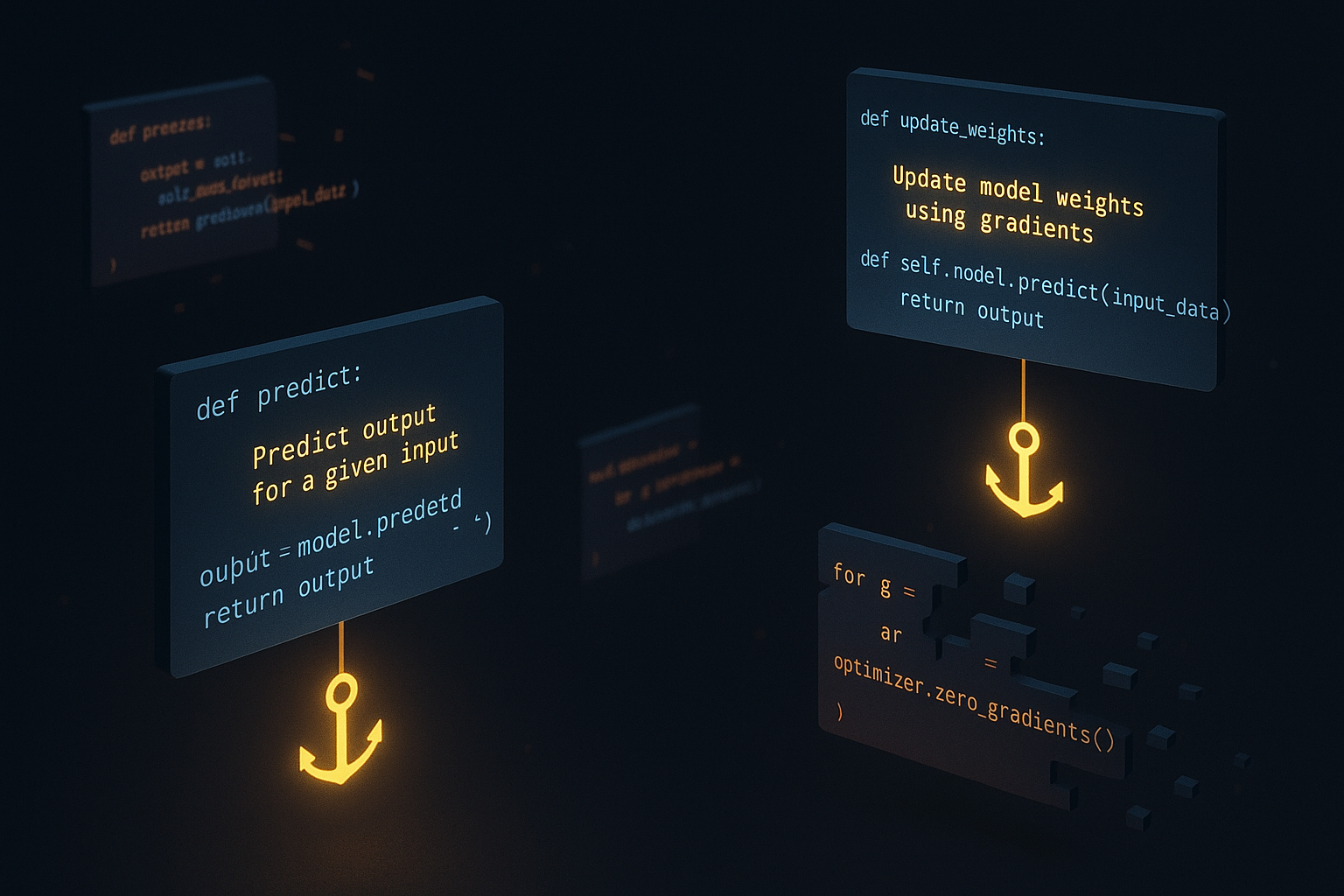
6. Docstrings: The Hidden Weapon Nobody Talks About
This is the one. The tip most guides skip entirely. And it might be the most important thing I discovered through this whole process.
Docstrings are disproportionately powerful for LLMs. Not for the reason you think.
This isn't about readability or documentation standards. It's about how these models are actually trained at a fundamental level.
LLMs learn through denoising and demasking -- during training, the model sees code with parts removed and learns to predict what's missing. Through that process, it encounters millions of functions paired with docstrings. It learns that the docstring is a semantic anchor -- a compressed statement of truth about what a function does.
When your code has good docstrings, the model has a rock-solid signal for intent. When it generates new code or modifies existing functions, those docstrings act as guardrails that prevent drift. The model effectively locks on: "The docstring says this function fetches a todo by ID and raises 404 if not found. I should generate code that does exactly that. Nothing more."
Without docstrings, the model works from structure and naming alone. It still generates code, but it drifts more. Invents features you didn't ask for. Makes assumptions about what you "probably" want. Sound familiar? That's the Casino Code problem -- and good docstrings are one of the best defenses against it.
Put this in your agents.md:
## Docstring Standards

All functions MUST include docstrings with:
- Summary of what the function does
- Args with types and descriptions
- Returns with type and description
- Raises with exception types and conditions

### Example:
def create_todo(title: str, db: Session) -> Todo:
    """Create a new todo item and persist to database.

    Args:
        title: The display title for the todo item.
        db: Active database session.

    Returns:
        Todo: The newly created todo with generated ID.

    Raises:
        ValueError: If title is empty or exceeds 200 characters.
    """
I tested this repeatedly. Code generated with strong docstring requirements was measurably more consistent across runs. Less model drift. Fewer hallucinated features. Closer to what I actually asked for.
Docstrings aren't documentation. For LLM-assisted development, they're a consistency mechanism. This is the tip I wish someone had told me before I spent a month figuring it out the hard way.
7. Let the LLM Write the First Version
Don't stare at a blank file. That's the hard way.
Open your coding agent and say: "Analyze this project and generate a CLAUDE.md that covers project structure, commands, coding standards, and boundaries."
The model will scan your codebase -- file structure, dependencies, patterns, naming conventions -- and produce a solid first draft. It's surprisingly good at this because it spots patterns in your code you might not think to document.
Then iterate. Rename sections to match your mental model. Cut the fluff. Add boundaries. Replace generic examples with code from your actual project. Shape it into something that reflects how your team works, not how a template imagines you work.
The model gives you the 80%. You bring the 20% that matters -- your team's conventions, your hard-won lessons, your specific constraints. That 20% is the difference between a template and a tool.
8. The Gotchas Section: Your Project's Scar Tissue
Almost nobody does this. It's one of the highest-value sections you can add.
Create a dedicated section with real code examples of things that went wrong and things that worked well in your specific project.
## Gotchas

### Database Sessions
# WRONG - session leaked, causes connection pool exhaustion:
def get_items():
    db = SessionLocal()
    return db.query(Item).all()

# RIGHT - session properly managed with dependency injection:
def get_items(db: Session = Depends(get_db)):
    return db.query(Item).all()

### Async Patterns
# WRONG - blocks the event loop:
import requests
response = requests.get(url)

# RIGHT - non-blocking:
import httpx
async with httpx.AsyncClient() as client:
    response = await client.get(url)
This is tribal knowledge encoded in a format the LLM can actually use. Every time your team spends three hours debugging something weird, add it here. The model learns from these examples and avoids the same traps.
It's your project's institutional memory, machine-readable. In my experience, a good gotchas section prevents more bugs than the rest of the agents.md combined.
9. Nesting: Powerful, But Watch the Bill
Most coding agents support nested configuration files. A CLAUDE.md at the project root, another in src/api/, another in src/workers/.
They stack. Root file applies everywhere. Subfolder files add context specific to that part of the codebase.
Powerful for larger projects:
project/
  CLAUDE.md              # Global: boundaries, overview, shared standards
  src/
    api/
      CLAUDE.md          # API-specific: endpoint patterns, response formats
    workers/
      CLAUDE.md          # Worker-specific: job patterns, retry logic
    shared/
      CLAUDE.md          # Shared utilities: logging, config patterns
You can extract shared configurations into common files referenced across different agents.
But the catch: every nested file adds to the context budget. All of them. Every word, every time. So apply the same ruthlessness from Tip 1 everywhere. Don't create nested configs "just in case." Create them when a subfolder genuinely needs specific instructions that would clutter the root.
The hierarchy is a tool for organization, not an invitation to write more.
There's a lot more to say about stacking and layering agent files -- how to structure them across teams, how to manage shared configs vs. local overrides, how orchestration patterns evolve as your project scales. I'll go deep on that in a future post. For now, understand the mechanic and respect the budget.
10. Your agents.md Is Never Done
The meta-tip that ties it all together.
Models change. Often. Your project evolves. Your team discovers new patterns and new failure modes. The agents.md that worked perfectly three months ago might need a rewrite because a new model handles context differently, your architecture shifted, or you learned something new about how your AI tools process instructions.
Treat it the way you treat your CI pipeline: critical infrastructure that gets maintained, reviewed, and updated regularly.
When someone hits a weird AI behavior, ask: "Should this go in the agents.md?" When the model keeps repeating the same mistake, add a gotcha. When a section hasn't been relevant in months, cut it. Review it with your team like you review your build configs.
The teams getting the most from AI-assisted development aren't the ones with the longest agents.md. They're the ones who iterate on it constantly.
The Cheat Sheet
If you remember nothing else:
- Context is precious -- every line costs attention, cut ruthlessly
- Show, don't tell -- code examples over prose every time
- More isn't better -- long files cause the model to lose focus
- Set hard boundaries -- never commit secrets, don't delete files, enforce file sizes
- Consolidate for LLMs -- fewer tool calls, better coherence
- Require docstrings -- they're a consistency mechanism, not just docs
- Let the LLM draft it -- then shape it with your knowledge
- Document your gotchas -- tribal knowledge in machine-readable code examples
- Nest wisely -- hierarchy helps, but every file costs context
- Keep iterating -- it's infrastructure, not a one-time setup
The Bigger Picture: Input and Output
Here's something worth zooming out on before you go.
Your agents.md is the input side of AI-assisted engineering. It's how you control what goes into the model -- the context, the constraints, the patterns, the boundaries. Everything in this article is about shaping that input.
But there's another side of the coin: the output side. Evals. Output analysis. Automated checks that verify what the model actually produced matches what you intended. The input whispers what you want. The output side verifies you got it.
These two things -- input control and output analysis -- are the levers we'll be tuning for a long time. Possibly for the entire arc of AI-assisted development. Models will change. Tools will change. The fundamentals won't: you control what goes in, you verify what comes out. Everything else is in between.
This post is about getting the input side right. I'll go deep on evals and output analysis in future posts -- that's a whole world of its own. But understand that your agents.md is half of the equation. A critical half. The half most people are neglecting right now.
Go Fix Yours
The gap between teams that use AI well and teams that just use AI is getting wider every month. Your agents.md shapes every single interaction your team has with their coding agent. Every message. Every generation. Every refactor.
And it costs nothing. It's a markdown file. No new tools. No subscriptions. No vendor lock-in. Just clear thinking about how you want AI to work with your codebase, written where the AI can actually read it.
I spent a month going deep on this -- reading the research, building a framework, running the experiments, going down rabbit holes that taught me more than any single blog post could. I'm sharing it because we're all figuring out the 1960s of AI together.
Now go fix your agents.md. And when the model starts generating code that actually feels like it understands your project -- you'll know the whisper is working.
Next up: I'll go deeper on stacking and layering agent files -- orchestration patterns for teams and complex projects. After that, the output side: evals, automated analysis, and how to verify the AI is actually doing what you asked.
This came from research across Anthropic's guidelines, OpenAI's docs, a GitHub analysis of 2,500 repos, community resources, and about a month of hands-on experiments with a testing framework I built specifically for this. The video walkthrough covers the full process -- including the beautiful disaster phase where I built an amazing eval system that solved the wrong problem.
Watch the full video: agents.md Tips - The Research and the Results
Stop wasting time on AI. I run practical experiments — real lessons you can use tomorrow, biweekly.


